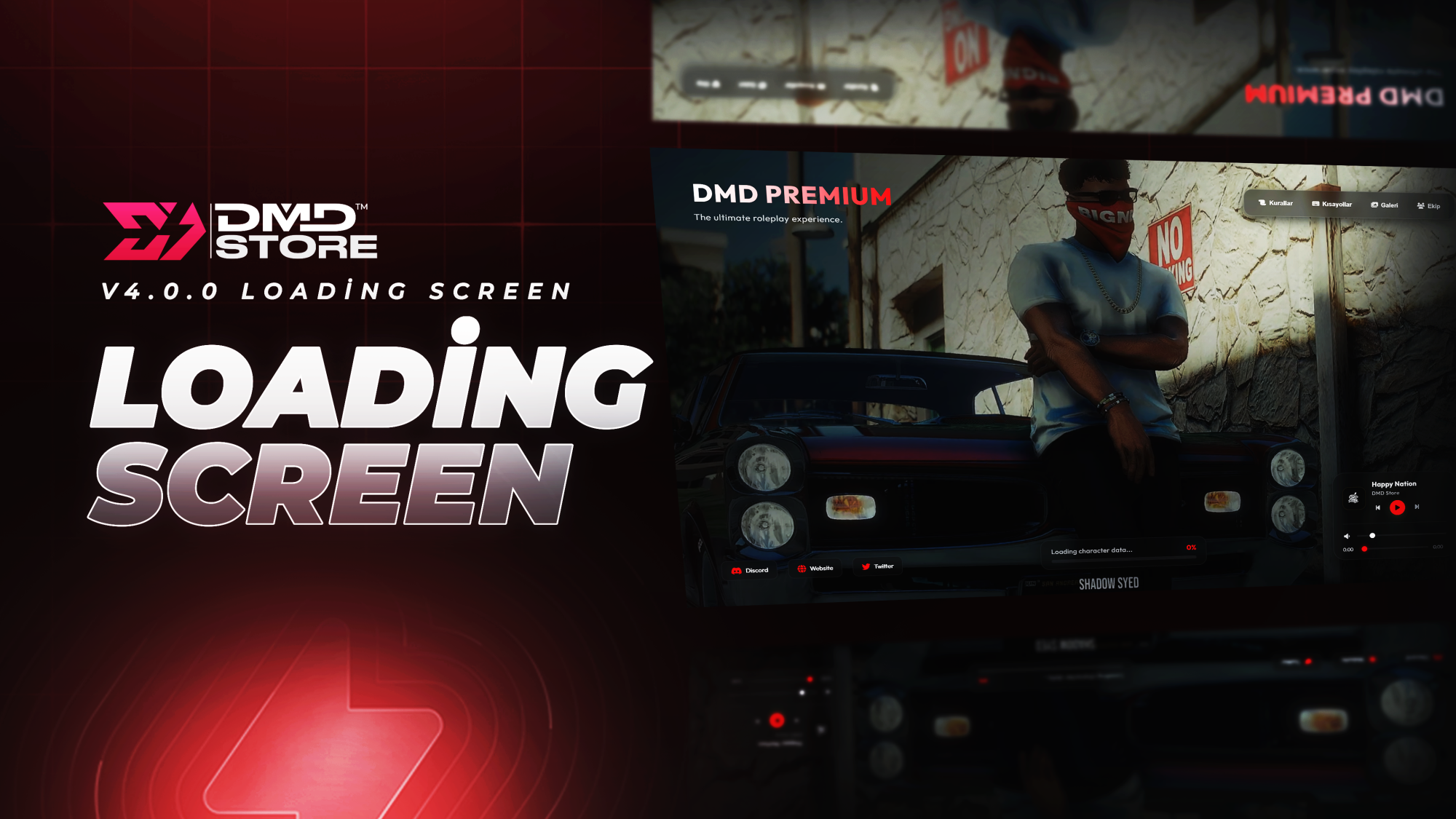
# DMD Loading Screen V4
An advanced, modern, and fully customizable FiveM loading screen. Designed to provide your players with a premium experience while connecting to your server. Easily manageable through `config.js` without requiring any HTML or CSS knowledge.
## :star2: Features
* **Advanced Background:** Choose between a Local Video, Image, or a direct YouTube video.
* **Advanced Music Player (Playlist):** Integrated music player with playlist support to add multiple tracks. Includes track title, artist info, and cover art.
* **Dynamic Color Theme:** Match your server's aesthetic by changing all script colors (Primary, Secondary, and Accent) from a single file.
* **Toggleable Menu System:**
* **Rules:** List your server rules.
* **Shortcuts:** Display essential keybinds for players (e.g., F1 for Phone, F2 for Inventory).
* **Gallery:** Share highlights and screenshots from your server.
* **Team:** Showcase your server staff (Name, Role, and Avatar).
* **Social Media Links:** Add your Discord, Website, Twitter, and other social links.
* **Dynamic Loading Messages:** Customizable info messages that cycle while the player connects.
* **Fully Standalone:** 100% compatible with all FiveM frameworks including QBCore, ESX, vRP, or Custom.
## :gear: Configuration (`config.js`)
All settings can be easily customized via the `config.js` file in the main directory. Some key settings:
- **Background Type:** Change `BackgroundType` to `"video"`, `"image"`, or `"youtube"`.
- **Theme Colors:** Update the look by changing `PrimaryColor`, `SecondaryColor`, and `AccentColor` hex codes.
- **Playlist:** Add your custom music tracks to the `Playlist` array.
- **Managing Menus:** Set `EnableRules`, `EnableShortcuts`, `EnableGallery`, and `EnableTeam` to `true` or `false` to enable/disable specific menus.
## :package: Installation
1. Rename the folder to `dmd-loadingscreen-v4` (ensure it contains no spaces or capital letters).
2. Place the folder into your server's `resources` directory.
3. Replace the media files in the respective folders (`video/bg.mp4`, `img/logo.png`, `music/`, etc.) with your own.
4. Open the `config.js` file to customize the script for your server.
5. Open your server's `server.cfg` file and add the following line:
```cfg
ensure dmd-loadingscreen-v4
```
6. Restart your server or start the script via the live console.
## :link: Links & Support
* **Discord:** [Join our community for support!](https://discord.gg/8yEMHnkRAV)
* **Tebex (Store):** [DMD Store](https://dmd.tebex.io)
* **YouTube:** [Watch Showcases](https://www.youtube.com/@dmdstorefivem)
